Attendance Import
Here Manager/HR can upload daily employee attendance. This feature is used when company
wants to enter daily attendance manually to 1CLIQUE.
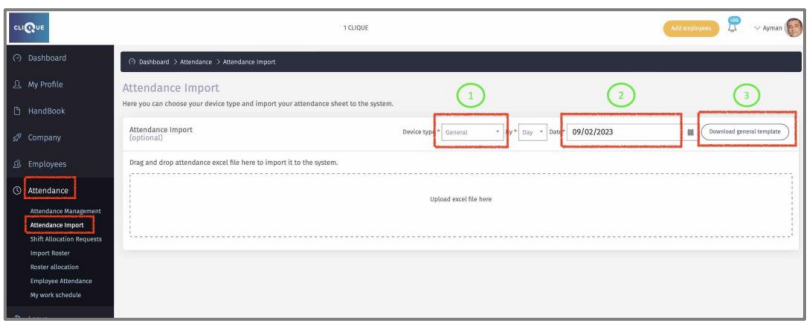
1 – Select the device type if available or Select “General” to download 1CLIQUE template.
2 – Select the date of the Daily attendance that will be uploaded.
3 – Download the template to complete.
4 – Add the Check-In & Check-Out for every employee. If attendance is left empty, the employee will show absent. Do not to tamper with the sheet format or data provided.

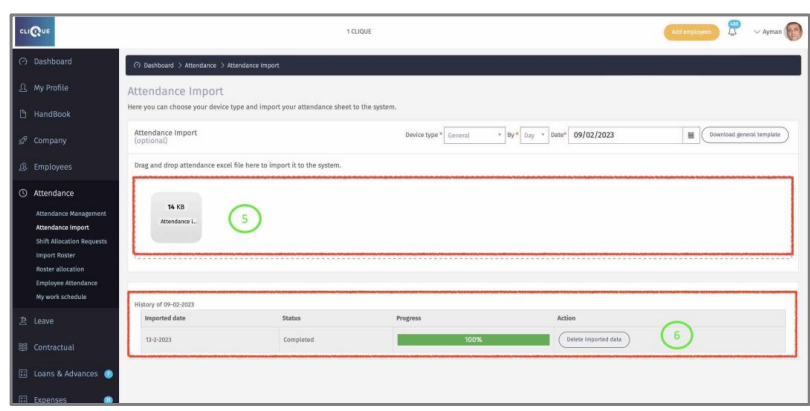
5 – Upload the excel file here.
6 – A progress bar will be displayed. Once the upload is completed, the data will appear
in Attendance Management screen.